
What Happened?
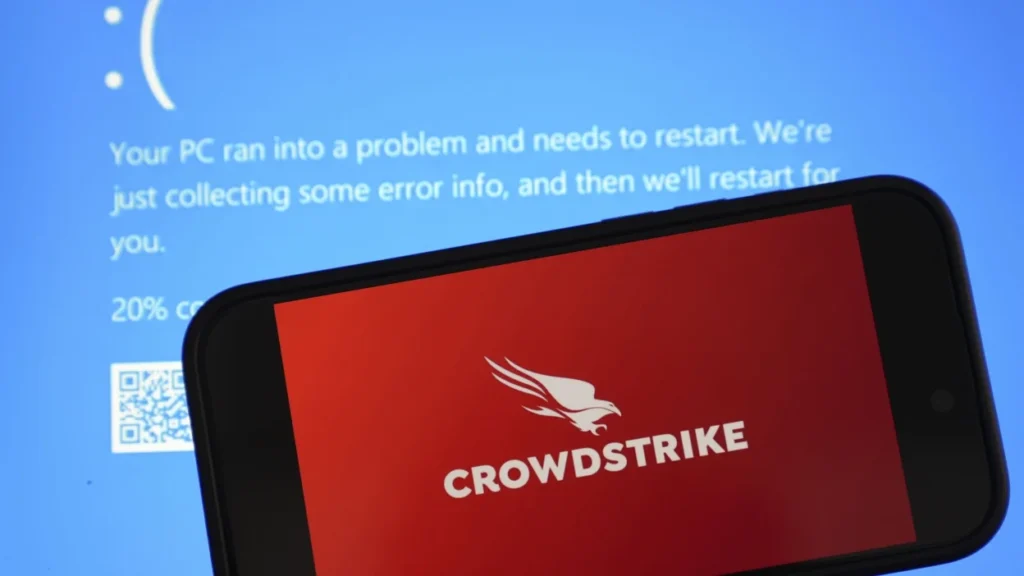
A recent issue with a CrowdStrike update led to a global outage on Thursday, triggering the ‘Blue Screen of Death’ (BSOD) on Windows PCs. This problem affected various services, including Microsoft 365, Azure, and numerous other platforms, causing disruptions across many industries.
Impact on Services and Sectors
The BSOD issue had far-reaching consequences, impacting sectors such as banking, aviation, media, and government services. Airlines like Delta, United, and American Airlines in the U.S., as well as IndiGo in India, experienced grounded flights. Media outlet Sky News faced challenges broadcasting live, and some supermarkets encountered payment processing issues, preventing customers from completing their purchases.
Cause of the Issue
The problem stemmed from a flaw introduced in the csagent.sys file during a CrowdStrike update to its endpoint protection software. This flaw caused Windows systems to crash and enter a recovery loop, ultimately leading to the BSOD.
Understanding the BSOD
The Blue Screen of Death (BSOD) is a critical error screen on Windows PCs that halts all operations and displays an error message. This occurs when the system encounters a severe issue, often resulting in an unexpected restart and potential data loss.
About CrowdStrike
CrowdStrike is a prominent cybersecurity firm known for its Falcon Sensor software, which protects systems from cyberattacks. On Thursday, the company alerted users about a bug in the Falcon Sensor that caused Windows systems to crash with BSOD errors. Despite efforts to roll back the problematic update, many systems remain affected.
Precautions
If you haven’t updated to the latest CrowdStrike patch, it is advised to hold off until the issue is fully resolved.
Temporary Solutions for Affected Users
For those experiencing issues, several temporary solutions have been suggested:
-
-
Safe Mode Boot and File Deletion:
-
- Boot Windows into Safe Mode or the Windows Recovery Environment.
-
- Navigate to
C:\Windows\System32\drivers\CrowdStrike.
- Navigate to
-
- Locate and delete the file matching “C-00000291*.sys”.
-
- Restart the system normally.
-
-
-
-
Renaming the CrowdStrike Folder:
-
- Prevent the service from starting by renaming its directory.
-
-
-
-
Registry Modification:
-
- Disable the CSAgent service via Windows Registry changes.
-
-
-
-
For Azure Users:
-
- Attempt repairs on the OS disk by following Azure’s instructions for attaching the OS disk to a repair VM, then deleting the file
C00000291*.sys.
- Attempt repairs on the OS disk by following Azure’s instructions for attaching the OS disk to a repair VM, then deleting the file
-
-
Lessons and Future Precautions
This incident highlights the interconnectedness of digital infrastructure and the cascading effects of software failures. Key lessons and precautions include:
-
-
Robust Testing Procedures:
Ensure thorough testing of software updates in diverse environments before release.
-
-
-
Emergency Response Plans:
Develop and maintain comprehensive IT emergency response plans to mitigate the impact of unexpected software failures.
-
-
-
Awareness of Interconnected Systems:
Understand system dependencies and plan for contingencies to minimize disruptions.
-
-
-
User Communication:
-
Maintain timely and transparent communication with users regarding issues and resolutions.
For further assistance or to consult on implementing these practices, feel free to contact our cybersecurity experts at info@secutress.com. Our team can guide you with the best practices suited to your environment, ensuring your safety and security.
